Highlights
This February, I worked almost entirely on the “Train” sequence (“TR”) at the beginning of “No Children in Space”. As I’ve described earlier, this sequence has had a troubled archival history, with a lot of our early mistakes. In particular, library files got misplaced, and unknown to me at the time, Blender (prior to v2.77) would simply delete these links, causing a broken file that was difficult to repair. After 2.77, Blender introduced a “broken link” object that allowed files to be repaired when a broken link was discovered.
Another problem was that the scale of the files wasn’t correct, so when the models it was based on were corrected to make later shots work, there were additional breakages. And while you can easily rescale a static model in Blender, once you add animation, that is harder to scale correctly. It’s not impossible, and I can’t answer whether this all got fixed in later versions — it’s very possible that it did. I look forward to finding out later this year.
But because of all this disruption, the files that we used to create the old test render versions of this scene, around 2015 or so, no longer worked to produce the shot. Attempting to re-render just wouldn’t work. Too many things were missing or mis-scaled.
TR-3 Multicam Background Plates
In 2024, I fixed most of the problems with the character animation in “TR-3”, which is the multicam scene for action on the train. For my “multicam” workflow, I use a single character animation file to direct character action, but multiple cameras to capture the action, which are then cut together to produce the end animation. There’s some extra work to avoid having to render too much of the shots that won’t be reused — this can be done by using Blender’s Visual Sequence Editor (VSE) to select the desired parts, filling in the gaps with black frames to keep the timing correct. This footage is then cut together in Kdenlive to get our multicam scene with the desired intercutting.
I used this process to create the “Press Conference” (“PC”) sequence and then reused it for the action on the train.
Another aspect of this sequence is that it is animated with the train car sitting still. Blender doesn’t do relativity! So it’s not the same to animate characters in a stationary train as to animate them in a train that is moving down the rails. This is one reason you really want to do this with two different setups. But there’s a catch — we can see out the windows. We should be seeing landscape going past. But we actually see nothing, because there’s no landscape in this shot. Instead, we just have mask-transparency in the shots, which allows whatever image is layered below the scene in the composite to show through.
Obviously, the idea is to get those background plates and put them into the composite. I had always planned to set those up on the Kazakhstan Railway set, render them, and use them for these shots. I realized that it wasn’t necessary to do a strict matchmove for these backgrounds, because the eye is pretty forgiving about minor angle and speed errors with such shots. So I could just use “background plates”.
In late 2024, I was feeling very rushed, trying to create what became the “NY2025” draft of the episode. So, I cheated a bit: I found a still image I had rendered of the set, applied a selective blur (more blurred at the nearer, bottom part of the shot, and less so at the top, distant part), and then simply used the “Transform” effect in Kdenlive to move the resulting image past the window in the right directions (more or less) for each shot. Honestly, it doesn’t look that bad. I considered leaving it that way!
But in January, as I described in my last summary, I went ahead and created these background plates.
Early this February, I actually assembled these into the TR-3 sequence. I am not sure that I’m fully satisfied with these, but I think they are an improvement.
Comparison of Train Ext Backgrounds for TR-3 Sequence
TR-2-A Train Exterior/Transition Shot
The “hero” shot in this sequence, though, is a complex transition shot. It begins with a fade from the previous (dramatic but relatively simple to render) cosmic zoom shot which passes the Moon and tracks in on the Earth, which matches the circle of the full Earth to a wheel on the train. Then the train starts to roll, and the camera moves up to the level of the windows, which reflect the landscape behind the camera, which includes some windmills and a couple of wild/feral Bactrian camels grazing on the weeds outside of whatever town we’re leaving. The camera tracks to a particular window, through which we then seen Georgiana’s face, looking out at the things we just saw reflected.
This was one of the first shots I storyboarded for Lunatics, back in 2010!
Storyboard animatic from 2010: an early experiment on this shot (now called TR-2-A).
I made a pretty good test render of this shot around 2015, which I used in previews and promotional materials, which did all of the rendering and compositing in one go. However, that shot file had long since become unusable by 2024 — I could not just re-render it.
Also, with the advantage of more experience with Blender, Kdenlive, and compositing workflow, it became obvious to me that this shot should really be broken down into simpler renders, put together later in the compositing phase. Skipping over my intermediate steps, I ended up with four layers stacked like this:
- Background plate with the landscape on the far side of the train (you see this when you look right through both sets of windows to see through to the other side. This is the same background plate (TR-3-Y) that I created to use with the TR-3 multicam setup.
- Interior action on the train, connected to the action we then see in the TR-3 Multicam that follows. In fact, this is the same character animation file, “TR-3-anim”, but seen by a camera positioned outside the train, with the near side of the train hidden. This is “TR-2-T” (for “transparent” or “through-glass”).
- Reflected landscape passing by, recorded by a camera that mirror-mimics the movement of the exterior camera to record what should be reflected in the glass. This is “TR-2-R” (for “reflection”). This has to be flipped L-R to be used.
- Exterior view of the train, as the camera tracks from the wheel to the windows and then to Georgiana. This is “TR-2-A”, the main shot scene.
The shot animation was designed in TR-2-A, which is mostly derived from the earlier material. The TR-2-T shot is essentially a complete replacement, using the TR-3-anim file. And the TR-2-R had to be carefully reconstructed.
This month was the first time I realized and tested this concept.
I started by making test stills for the newly-created TR-2-A, TR-2-T, and TR-2-R shots at key frames. Then I stacked these in GIMP to create test composites. The results were very promising!
After I got the rendering server (“Narya”) back up again, I rendered these in full, and created animated composites in Kdenlive. There were still many problems with the components at the end of the month, so the work continued into March.
I produced two work-in-progress videos during this process in February. More will be coming.
WIP 2/24 of TR-2-A, composited in Kdenlive, using a GL previz render for the reflection layer
WIP 2/25 of TR-2-A, now with the rendered version of the TR-2-R reflection.
When I’m finally satisfied that this shot is complete, I plan to make a featurette about its development from the earliest phase of the project to now for Patreon and also DVD extras.
Reorganizing Studio Space and Remodeling
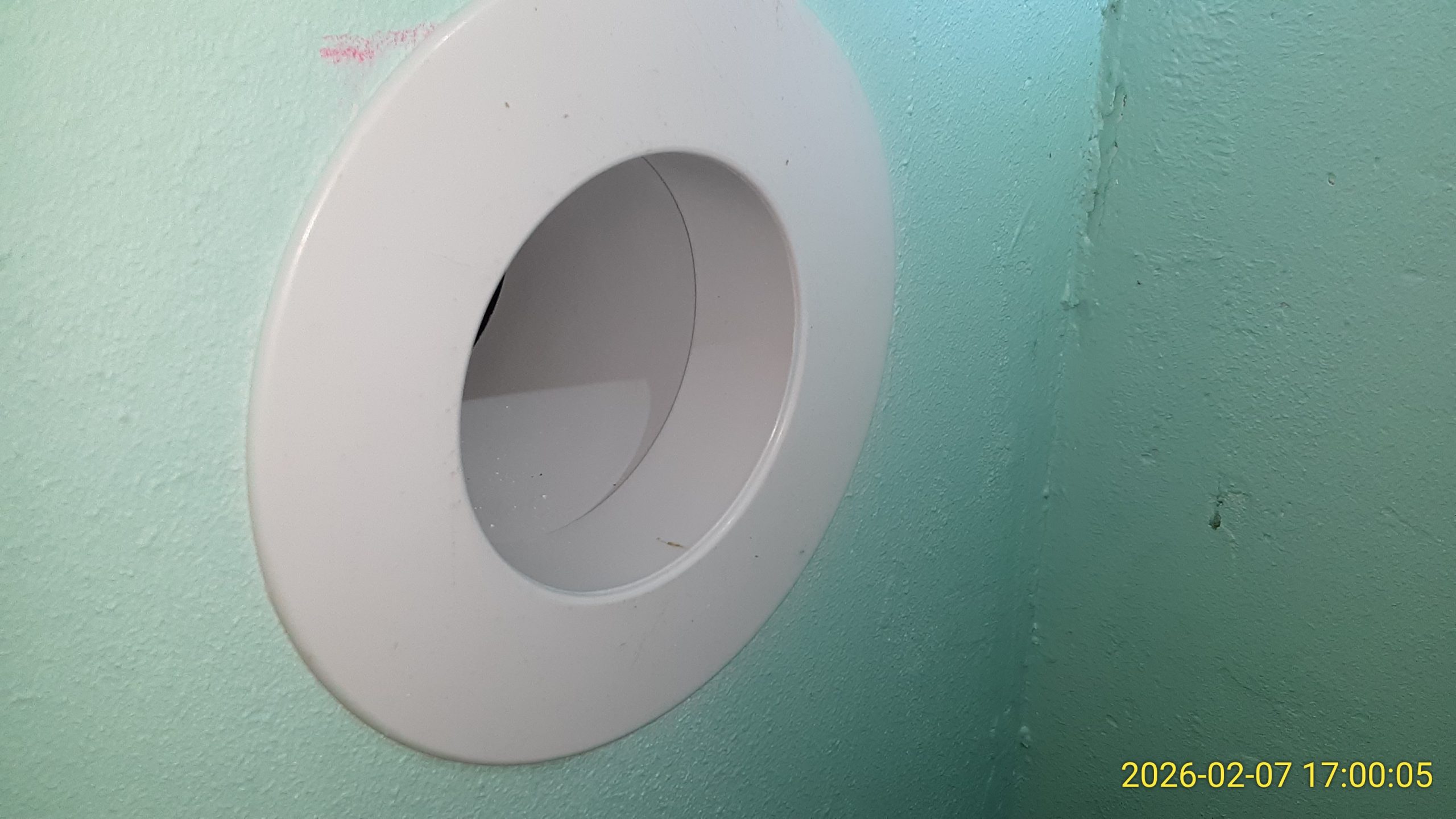
I have been putting off some changes to my workspace for some time, but decided that I needed to get it done this Spring. I’ve moved the location of our networking hub into a closet in the back of my office, which required me to make a port through the wall for cables. I actually got this nice 3-inch wall portal kit along with the mini-split heat pump I installed in the studio. I couldn’t use it for the heat pump, since the outer studio walls are thick corrugated steel (the shell of the studio is an ocean cargo container), which required some extra engineering, but this was an excellent application for it.
I made the decision in 2025 that I would not be moving Narya into a data center as our public web server, but instead would use it as our primary rendering machine here on site. In 2025, I bought a 2nd smaller (1U) server that I planned to use for data center colocation, which I call “Nenya”, but have not really done anything with, yet. I also bought a small (9U) server rack to use for on-site server equipment. But that had been sitting in a box for several months prior to this month.
So, I finally cleaned out the closet the server was meant to go into; built the server rack; and installed Narya into it. Nenya, and a third R710 machine that was donated for a community project I am helping with, which I am calling “Vilya”, are simply stacked on top at the moment. I only had one set of rails.
To be completely honest, I’m not sure the rails are installed correctly, but Narya hasn’t fallen, so I guess it will do for now.
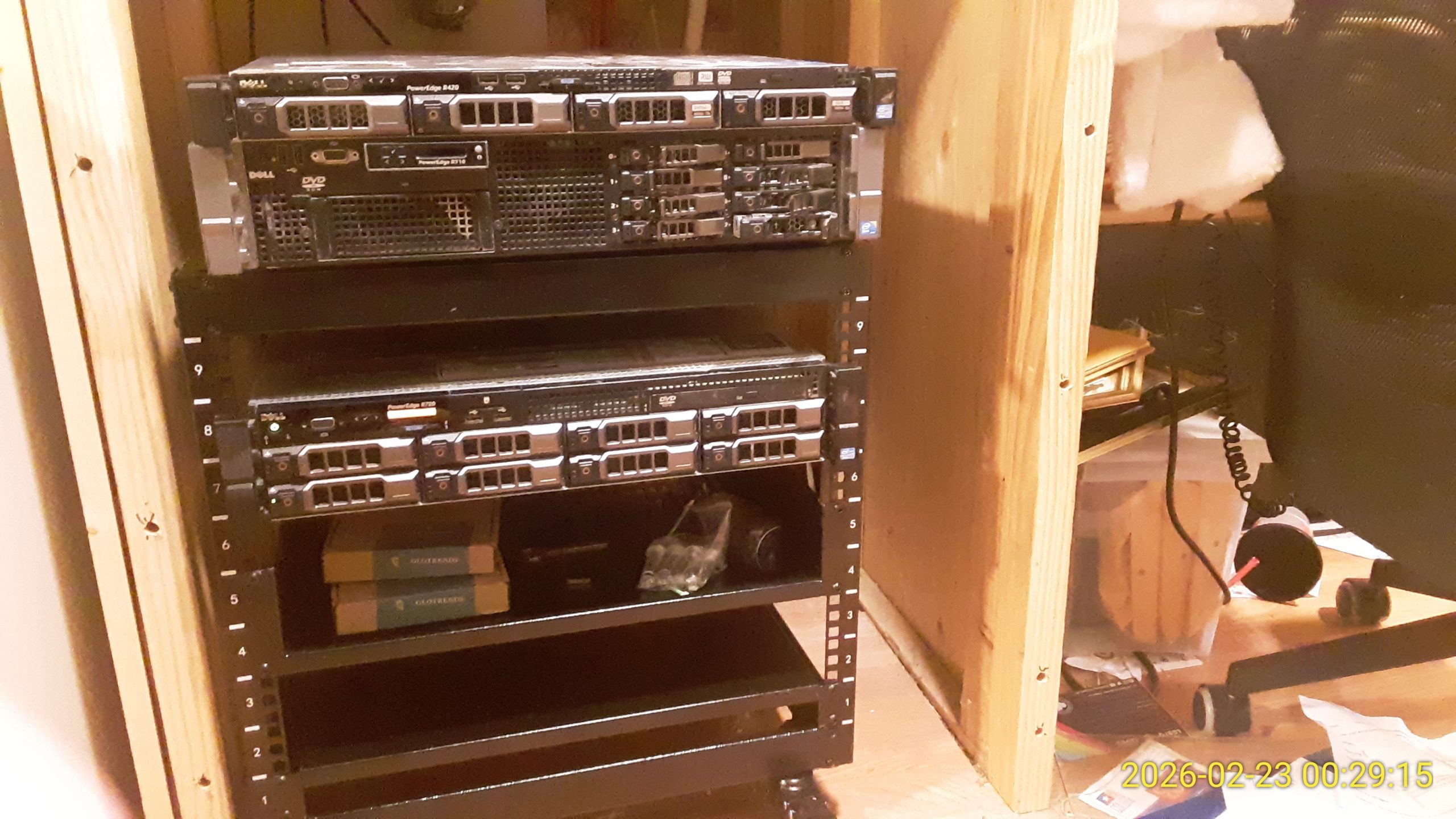
So the servers are no longer simply stacked on a high shelf near my workstation. Which also frees up that spot, which I’ve decided to use for the Primera Bravo II Disc Duplicator, which I hope to get back to work on this Spring.
I also started setting up the card/photo scanner, which I hope to use for storyboard workflow for later episodes, and improved the shelf for our office laser printer. A lot of little things to fix.
There have also been a lot of household remodeling and maintenance work that I’ve been doing, which I’m not going to document here, but it still does take quite a bit of my time.
January-February 2026 Production Timelapse
This collects the activity from the end of January (mainly the background plates for TR-3) and work on the train shot, TR-2-A.
Production work, mostly in February 2026 (a little bit at the end of January). This was focused on the “Train” / “TR” sequence at the beginning of Lunatics! episode 1, “No Children in Space”.
00:00 Titlecard
00:10 TR-3 Background Plates (Views out the windows)
04:10 TR-2-R Reflection GL Previz
04:27 TR-2-T Train Interior Action Setup for Rendering
04:58 TR-2-A Exterior Shot
06:28 TR-2 Composite Tests
07:06 TR-2 Comparison Skills (from NY2025 draft version of shot)
07:16 TR-2 Rendering on Server
07:41 Checking TR-2 Renders and Compositing in Kdenlive
08:26 TR-2-R Camera Cheat and Positioning Camels
10:07 Corrections to Compositing
10:39 Fixed Kazkhstan Railway Set
11:00 Titlecard
Music by SzymonB from album “SzymonB”, Jamendo #43335 / CC By-SA 3.0
00:00 “Za Daleko”
03:04 “Imie”
08:45 “8.0.5”
Video Logs
Video Log 2026-02-09: Episode Two Assets
As I have been busy with archiving (finished!), reorganizing, and cleaning my workspace, I have not really made very much progress to talk about on the remaining episode one production, so I thought I would review where we stand with assets for episode two (working title “From the Earth…”).Since we originally conceived what are now the first three episodes as a single pilot episode, we did quite a bit of work on the later parts, including most of the work for episode two.
00:00 Intro
00:09 Archiving, Organizing
00:27 New Scanner (Epson FastFoto FF-680W) for Cards/Photos
00:42 Storyboard Workflow, Using 4×6 Index Cards
03:40 Thinking About Later Episodes
03:51 Assets for Episode Two: Audio, Visual, 3D, Rigging
06:56 Assets for Episode Three and Beyond
09:16 Status on Episode One: Background Plate and Reflection World Plate
11:17 More About Reorganizing
12:19 Conclusions
12:46 Winter WoodsCoda music is “Be With You” by Pipe Choir, from the Free Music Archive project, CC-0 Public Domain Assignment.
Video Log 2026-02-22: That Train Shot
This week’s production work is all focused on one shot: the opening shot of the train sequence (technically it’s the 2nd shot in the scene, because the Moon-Earth space shot is included as well as the action on the train). This shot has been in a broken state for several years, and it’s very satisfying to finally make some progress on it.
00:00 Intro
00:07 The Train Shot (Old Version)
01:50 What’s wrong with the old version?
02:59 Freestyle Limitations — Simulating Transparency & Reflections
05:00 New Shot Composition: 4 Rendered Planes
07:33 Work this Week: Key Frame Renders & Test Composites (in Gnu IMP).
07:56 Results and Work Remaining
08:44 Flipping the Reflection Shot (Scaling the Camera did NOT work, actually)
09:36 This shot update has been waiting for a long time
10:14 Conclusion
10:39 Mistletoe Berries
 Share this post on social media.